How it works
From draft to approved in four steps
Click through the steps to see how a quote moves from your desk to QuickBooks.
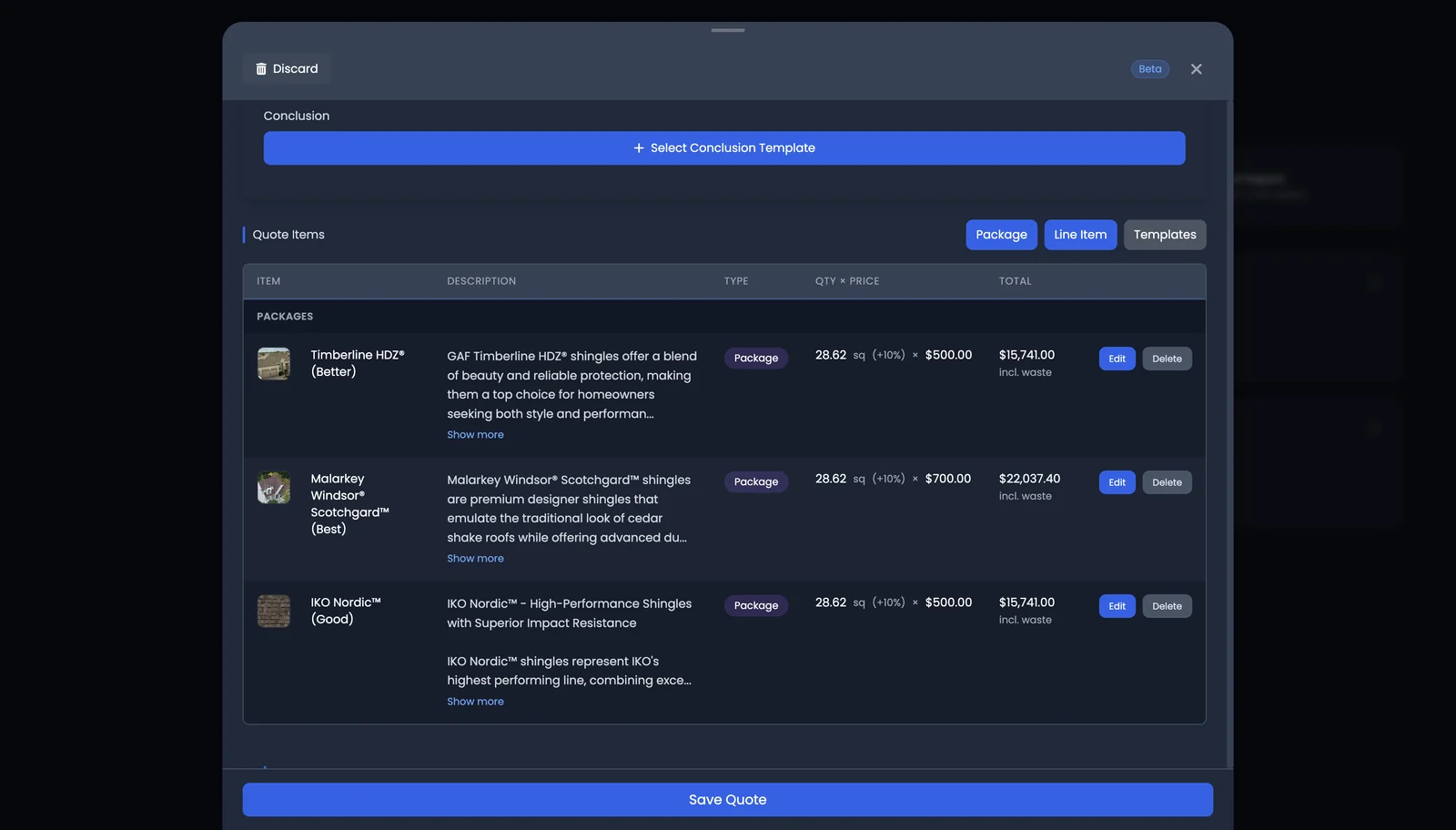
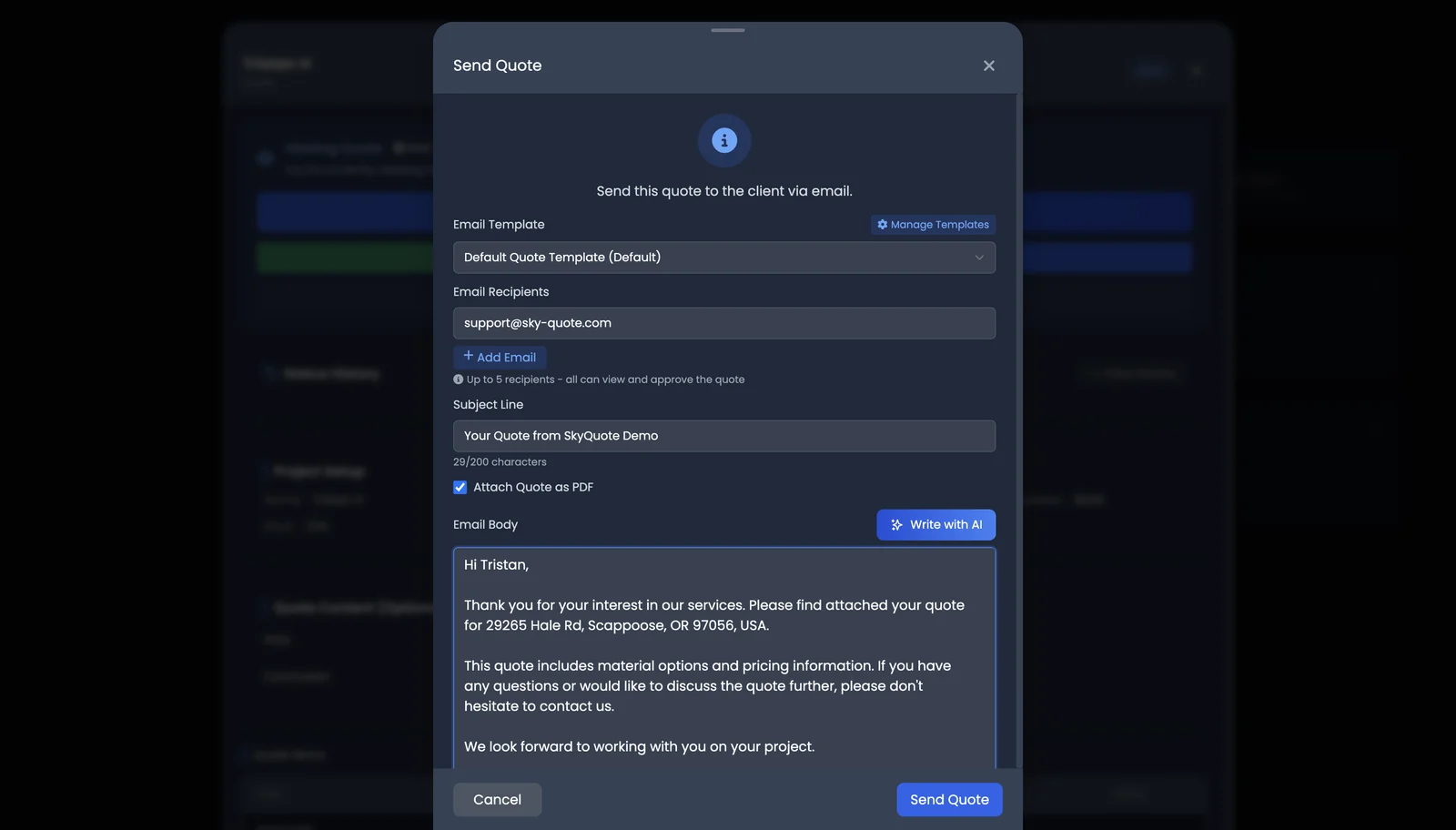
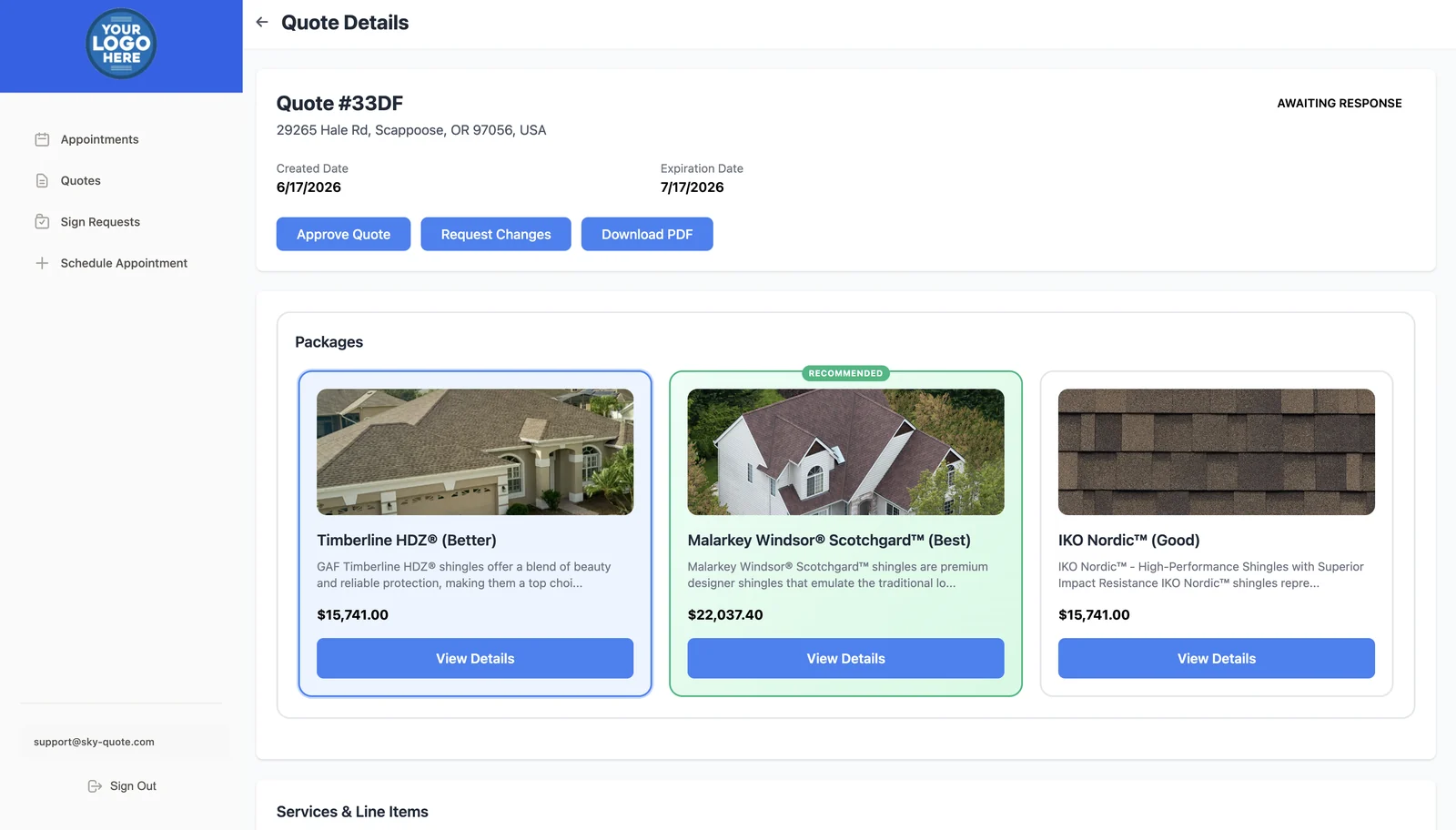
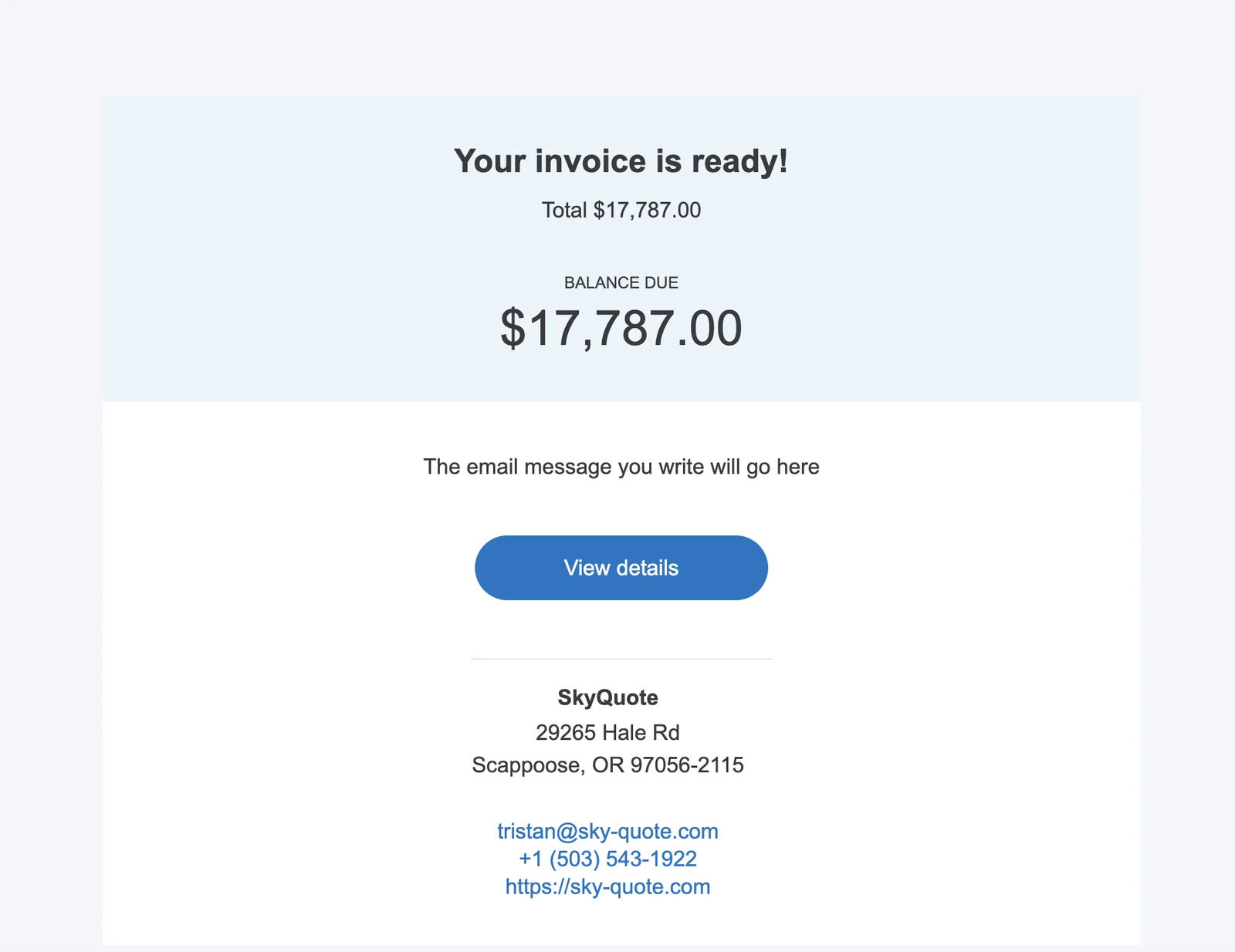
Turn an estimate into a polished, on-brand quote your customer can review and approve online — and approved quotes flow straight into QuickBooks for payment collection.
Click through the steps to see how a quote moves from your desk to QuickBooks.
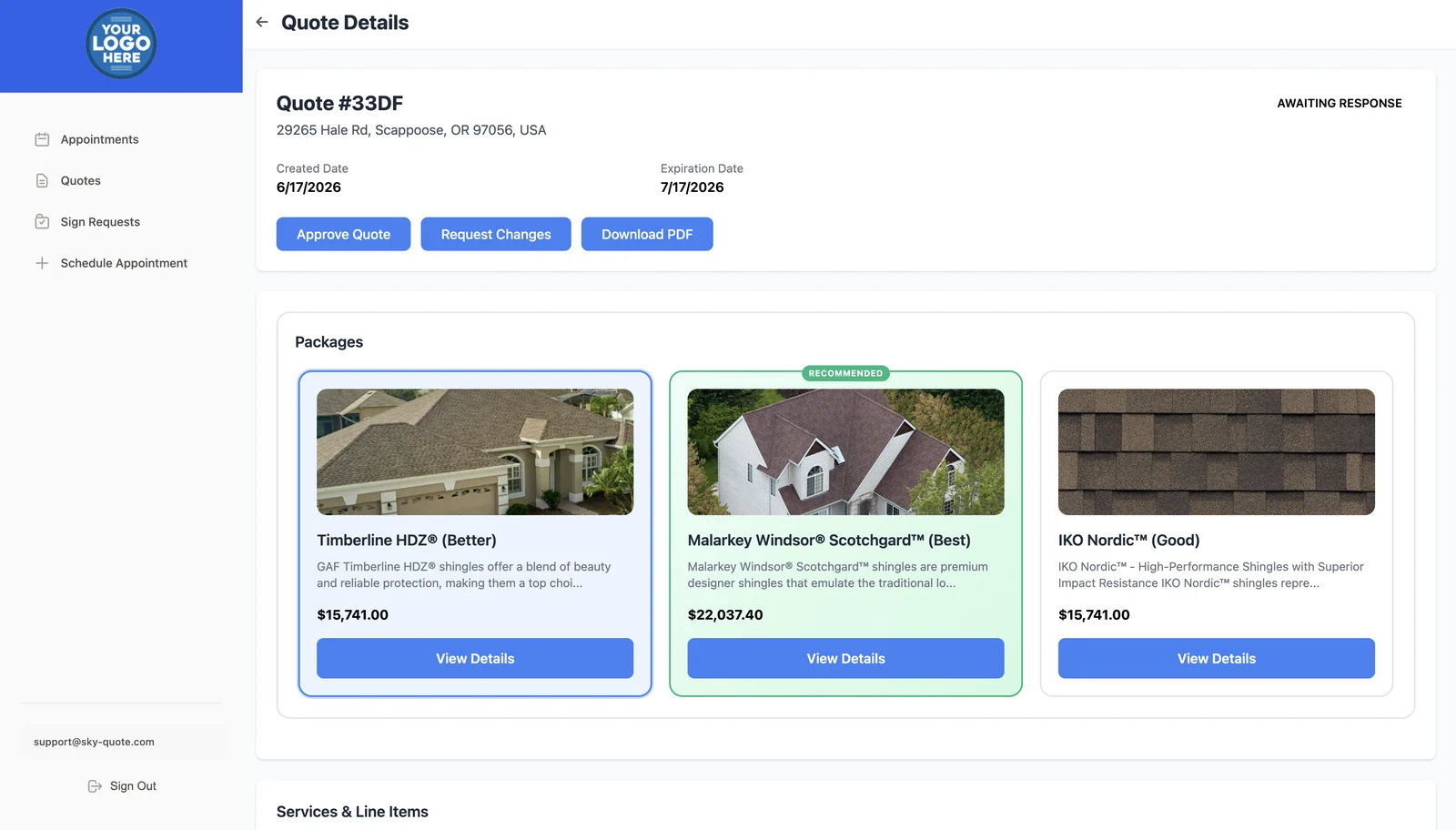
Add multiple materials to one quote and clients see a side-by-side Good / Better / Best comparison in the portal.
Each material becomes a package with its own price, description, and color choices.
Highlight the package you want to guide clients toward.
Gutters, skylights, upgrades — clients add them with a checkbox.
The price updates in real time as clients make selections.

Every PDF, email, and portal page your client sees looks like your company — not ours.
Set your logo and colors once — every quote carries them.
Saved welcome messages, payment terms, warranty info, and next steps.
Standard re-roof, commercial flat, emergency repair — build once, quote in seconds.

Know exactly where each quote stands, from draft to approved.
Draft, awaiting response, changes requested, approved — filter and search them all.
Clients can request changes from the portal — their notes land in your inbox and on the quote.
Every send, update, and approval is tracked, including versions of approved quotes.
The moment a client approves, their quote imports to QuickBooks Online for payment collection — customer info, selected package, add-ons, tax, and totals. Update the quote later and the changes sync too.
Templates, catalogs, and saved line items turn hours into minutes.
Polished, branded quotes with packages and add-ons clients pick themselves.
Approvals flow straight into QuickBooks for payment collection.
Start a 30-day free trial and experience the difference. Cancel anytime, no contract.
Pick a time that works for you and we'll walk you through SkyQuote.